
2,800+ downloads in week one, 245 daily actives. Trace 1.2 ships with: KiCad 10 support, constraints & stackup modeling, plan mode, rewritten React chat UI with multi-tab streaming, larger context window, file uploads, and todo tracking. Plus macOS Gatekeeper fix, stability improvements, and early one-click manufacturing partnerships.
When we launched Trace a few weeks ago, we had no idea how fast things would move. 2,800+ downloads in the first week. 245 daily active users. People paying for the pro plan on day one. Two small startups already on enterprise. It's been wild.
More than the numbers, the feedback has been incredible. People telling us what works, what doesn't, what they need. We took all of it seriously. Every bug report, every feature request, every "this would be nice." We've been heads down iterating since launch.
Today we're shipping Trace 1.2. This is the result of that feedback loop.
What's New
KiCad 10 support. Trace is now built on KiCad 10 (v10.0.0 RC1), bringing all upstream improvements including better schematic and PCB tooling and improved rendering.
Constraints & stackup. One of the most requested features. Trace now models stackup, spacing rules, and placement constraints before routing. We're also expanding toward pick-and-place constraints, enclosure fit, and EMI-aware placement. Layout is more than routing, and Trace is starting to understand the full picture.
Plan mode. When enabled, the AI enters a research phase before acting. It gathers context, populates a research card with findings, then proposes a structured plan before executing. You approve or adjust before anything changes. Way more control over complex designs.
Rewritten chat UI. The entire chat panel is now a React webview with an interleaved activity feed. Tool calls, thinking steps, and messages show up inline as they happen. You can see exactly what the AI is doing in real time. It also supports multi-tab parallel streaming, so you can run multiple AI conversations across different editor tabs simultaneously.
Larger context window. The AI can now hold significantly more of your design in context at once. Bigger schematics, longer conversations, more files referenced simultaneously. Fewer "I lost track" moments.
File uploads & context. You can now upload files directly into the chat. Datasheets, reference designs, spec docs. The AI reads them and uses them as context for your design. No more copy-pasting.
Todo tracking. The AI creates and manages a structured todo list during your session. Completed and cancelled items filter out automatically. It stays focused on what's left to do.
Bug Fixes
Fixed the macOS Sequoia Gatekeeper issue. The root cause was 19 dangling LC_RPATH load commands across multiple Mach-O binaries in the app bundle, pointing to absolute build-machine paths like /Users/your_username/... and /opt/homebrew/lib. Because our entitlements disable library validation (required for loading .kiface plugins), Gatekeeper performed an additional security scan on every Mach-O image looking for dynamic library impersonation risks. The dangling rpaths triggered that check and caused the rejection. We stripped all 19 dangling rpaths from the affected binaries (trace-cli, 3D plugins, libnng, libkicad_3dsg), fixed the build pipeline that was silently skipping the rpath cleanup step, and updated the CLI naming and Info.plist metadata. Trace now installs cleanly on macOS 15+ without needing to bypass security prompts.
Also fixed: the app stopping mid-stream, ghost schematics appearing after file edits, multi-sheet support and per-tab event routing, text segments fragmenting after activity interruptions, analytics duplicates and event placement. A lot of stability work under the hood.
One thing we've been really happy about: after a lot of testing, our graph neural network and simulated annealing algorithms are excelling at tweaking already-imported boards. If you have an existing KiCad design and want the AI to optimize placement, clean up routing, or catch things you missed, import it and try it. The results have surprised us.
Some of the best PCBs designed in Trace so far have come from users importing their existing projects and letting the AI iterate on them. We'll be sharing a showcase of community designs soon.
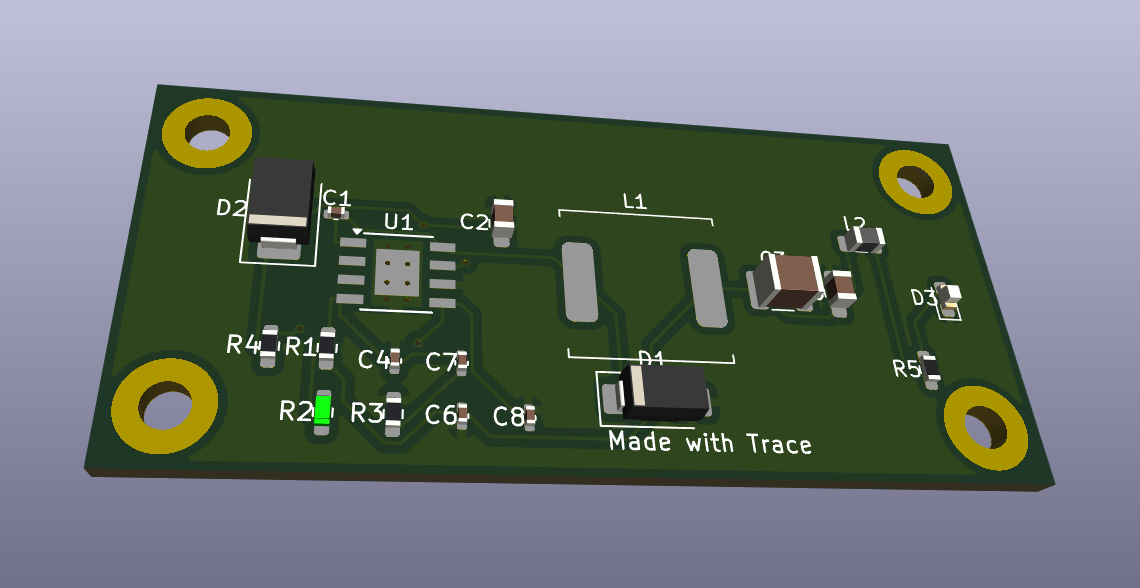
Looking ahead, we've been prototyping Trace's AI on ASIC workflows and the early results are promising. The same constraint engine that handles PCB stackup and spacing rules can model standard cell placement, pin assignment, and timing-driven floorplanning. Differential pair routing, power grid IR drop analysis, clock tree balancing: the AI already understands the spatial and electrical relationships. If you've ever spent days manually tweaking a block-level floorplan or debugging DRC violations on a 7nm tapeout, you know how much of that is pattern recognition and constraint satisfaction. That's exactly what our models are good at. We're not ready to announce anything yet, but ASIC is where we're heading next.
One-Click Manufacturing
Right now, getting a board manufactured is brutal. You finish your design, then you have to export Gerbers, which means generating separate files for every copper layer, silkscreen, solder mask, paste, board outline, and drill file. You zip them up, upload them to a fab like JLCPCB or PCBWay, and pray that your design rules match their manufacturing constraints. They often don't. Minimum trace width, annular ring size, via diameter, solder mask clearance. Every fab has different specs, and if your design violates any of them, you're back in your EDA tool fixing things and re-exporting. It's a painful back-and-forth that can eat hours or days, especially if you're new to it.
We're working to make that a one-click process. We're actively partnering with PCB manufacturers in the DC, Maryland, New York, and San Francisco areas to build direct integrations so you can go from finished design to order confirmation without leaving Trace. No manual Gerber export. No guessing whether your design meets their DFM rules. Trace validates against the fab's actual constraints before you submit and handles the file generation automatically. Design it, click ship, get boards in the mail.
We're moving fast and we're not slowing down. If you're already using Trace, update to 1.2 today. If you haven't tried it yet, buildwithtrace.com. What will you design?
— The Trace Team